When you login to GKE-OP nodes and try to run sudo command you will get the following warning:
sudo: unable to resolve host [nodename]
Your command will still execute but will show this warning. It is related to Ubuntu OS settings. To resolve it add the following line into the /etc/hosts file on the node:
127.0.0.1 [node-name]
Hope this will be solved soon as Google has already identified this issue. I guess they will add the record in the provisioning process for the nodes.
The DevOps Engineer exam is finally GA! I took the Beta in December 2019 and received good news that I am now certified! Here are couple of tips you can use to get this certification.
The books https://landing.google.com/sre/books/ might be a great resource but the coursera is good enough to cover topics like SLO, SLI, SLA, post mortem reports, error budget, blameless culture etc.
Stackdriver ca. 30% of the exam:
Make sure you know all the services of APM, Log Based metrics and integration with Fluentd. Understand advanced logs filtering.
Today the Google Cloud Certified Fellow program was lunch. I am happy to announce that I am recognised as Fellow #5.
It is a certification outside of standard Professional program and is directed at Technial Leaders working with Anthos. This is how Google describes it.:
„The Google Cloud Certified Fellow program is for elite cloud architects and technical leaders who are experts in designing enterprise solutions. This certification program recognizes individuals with deep technical expertise who can translate business requirements into technical solutions using Anthos and Google Cloud.
The Hybrid Multi-cloud Certification is the first certification in this program and assesses both technical skills and business expertise. Achieving this certification demonstrates your leadership, business impact, and technical acumen, as well as your ability to:
• Design hybrid and multi-cloud solution architectures with Anthos • Design for security and compliance • Provision a solution infrastructure • Optimize technical and business processes • Ensure solution and operations reliability”
When you login into your GKE-OP nodes you might find out the time is synced with your ESXi host rather then with the Timeserver configured in you DHCP Options or Static IP files used for GKE-OP clusters provisioning.
This issue is actually related to Ubuntu 18 and is connected with settings of timesyncd service.
ubuntu@gke-03-user0103:~$ sudo SYSTEMD_LOG_LEVEL=debug /lib/systemd/systemd-timesyncd Failed to create state directory: Permission denied ubuntu@gke-03-user0103:~$ sudo SYSTEMD_LOG_LEVEL=debug /lib/systemd/systemd-timesyncd Added new server 172.20.101.25. Added new server ntp.ubuntu.com. Selected server 172.20.101.25. Resolving 172.20.101.25… Resolved address 172.20.101.25:123 for 172.20.101.25. Selected address 172.20.101.25:123 of server 172.20.101.25. Connecting to time server 172.20.101.25:123 (172.20.101.25). Sent NTP request to 172.20.101.25:123 (172.20.101.25). Server has too large root distance. Disconnecting. Waiting after exhausting servers.
Root cause: there is network delay that causes timeout for the response from NTP
Solution: There is no permanent solution for this issue as the settings of NTP are created when Nodes are deployed using the DHCP or StaticIP files. You can only fix this issue after your nodes are deployed. The settings will be lost when you redeploy.
To workaround this issue set edit the timesyncd.conf file and set RootDistanceMaxSec=20 (you might need to find our the honey spot)
sudo cat /etc/systemd/timesyncd.conf
[Time]
#NTP=
#FallbackNTP=ntp.ubuntu.com
RootDistanceMaxSec=20
#PollIntervalMinSec=32
#PollIntervalMaxSec=2048
Now you should check if connection works fine
ubuntu@gke-03-user0103:~$ sudo SYSTEMD_LOG_LEVEL=debug /lib/systemd/systemd-timesyncd Added new server 172.20.101.25. … freq offset : +0 (0 ppm) interval/delta/delay/jitter/drift 64s/+0.033s/0.001s/0.000s/+0ppm Synchronized to time server 172.20.101.25:123 (172.20.101.25).
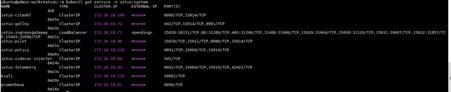
In this article we will show hot to install Istio and a simple microservice application. We will generate some traffic to that application and visualise the flows with Kiali.
The high level steps are as follows:
install Helm
deploy Istio CRDs
deploy Istio
expose Telemetry services
install BookInfo application
All the steps are performed from the Admin workstation
When using F5 BIG-IP load balancer of GKE On-Prem you might be wanting to use evaluation license. Keep in mind that this license has a restriction of 2MBps bandwidth in total. GKE-OP even with one user cluster can cause saturation and slowness of K8s API response. With multiple cluster and Istio installed the API can stop response at all. Note that F5 might not be showing the bandwith is saturated when you use the CLI tools.
Resolution: use full license or request 10GBps evaluation license.
With Anthos 1.2 there is a new feature that creates a test VM to check connectivities before you deploy your GKE-OP clusters. It helps to avoid issues during the installation.
[FAILURE] Admin Cluster VIP and NodeIP: Failed to create VM: failed to create VM (not retriable): failed to find VM template "gke-on-prem-osimage-1.14.7-gke.24mage-1.14.7-gke.24-20191120-f71f9a709b' not found
[FAILURE] User Cluster VIP and NodeIP: Failed to create VM: failed to create VM (not retriable): failed to find VM template "gke-on-prem-osimage-1.14.7-gke.24-age-1.14.7-gke.24-20191120-f71f9a709b' not found
Root cause: This is cause by the image not being present on the datastore. The installation steps in the GCP docs have wrong sequence.








 Google Cloud Certified Fellow #5